Contact Us
Office Address:
Plot No. 16, Shakti Khand 3, Indirapuram, Ghaziabad - 201014
Email: nextgenlearn@gmail.com
Phone: +91 9310710211
Working Hours
- Monday - Friday: 9:00 AM - 6:00 PM
- Saturday: 10:00 AM - 4:00 PM
- Sunday: Closed
Follow Us
Syllabus Overview
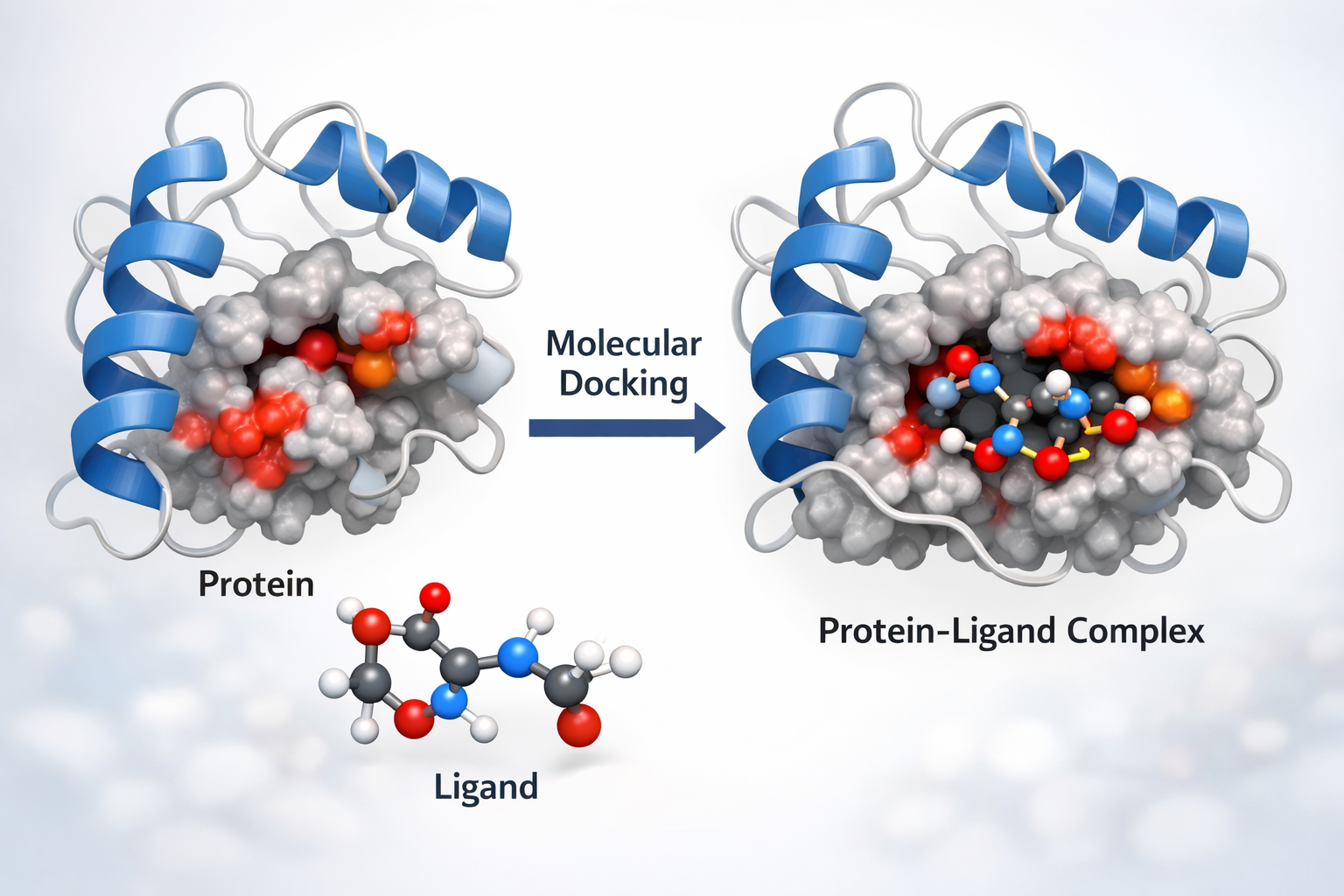
Molecular Modelling & Molecular Docking
4 Weeks Program (16 Classes | 1 Hour per Day)
Level: PG / Advanced
Focus: 30% Theory | 70% Hands-on
Week 1 — Introduction to Molecular Modelling & Structural Preparation
Class 1: Introduction to Molecular Modelling & Drug Discovery
Objective: Understand molecular modelling concepts and applications in drug discovery
✓ What is Molecular Modelling?
✓ Role in Computer-Aided Drug Design (CADD)
✓ Structure-Based vs Ligand-Based Drug Design
✓ Overview of Drug Discovery Pipeline
✓ Applications in pharma, biotechnology & research
Hands-on:
✓ Introduction to PyMOL interface
✓ Load a sample protein structure
✓ Basic structure visualization & representation styles
Class 2: Protein Structure & Databases
Objective: Learn protein structural organization and database retrieval
✓ Levels of protein structure (Primary → Quaternary)
✓ Experimental structure determination (X-ray, NMR, Cryo-EM)
✓ Introduction to Protein Data Bank
✓ Understanding PDB format
Hands-on:
✓ Download protein structure from PDB
✓ Identify chains, ligands, heteroatoms
✓ Remove water molecules
✓ Save cleaned structure
Class 3: Force Fields & Energy Minimization
Objective: Understand molecular mechanics and energy calculations
✓ Molecular mechanics theory
✓ Bonded vs non-bonded interactions
✓ Popular force fields (AMBER, CHARMM)
✓ Concept of energy minimization
Hands-on:
✓ Energy minimization using UCSF Chimera
✓ Structural evaluation
✓ Ramachandran plot analysis
Class 4: Protein Preparation for Docking
Objective: Prepare receptor structure for docking
✓ Protein cleaning workflow
✓ Adding hydrogens & charges
✓ Receptor preparation principles
Hands-on:
✓ Prepare receptor using AutoDock Tools
✓ Convert PDB → PDBQT
✓ Save docking-ready receptor
Week 2 — Ligand Preparation & Binding Site Analysis
Class 1: Ligand Basics & Drug-Likeness
Objective: Understand ligand properties and drug-likeness
✓ Chemical file formats (SMILES, SDF, MOL)
✓ 2D vs 3D structures
✓ Lipinski Rule of Five
✓ ADME basics
Hands-on:
✓ Retrieve ligand from PubChem
✓ Download SDF structure
Class 2: Ligand Preparation Workflow
Objective: Convert and optimize ligand for docking
✓ Protonation & charge assignment
✓ Conformer generation
✓ Ligand flexibility
Hands-on:
✓ Convert SDF → PDB using Open Babel
✓ Add hydrogens
✓ Generate PDBQT ligand file
Class 3: Active Site Prediction
Objective: Identify potential binding pockets
✓ Binding pocket concept
✓ Blind vs targeted docking
✓ Grid box fundamentals
Hands-on:
✓ Active site prediction using CASTp
✓ Visualize binding site
Class 4: Grid Preparation & Docking Setup
Objective: Define docking parameters
✓ Grid box dimensions
✓ Coordinates (X, Y, Z)
✓ Exhaustiveness concept
Hands-on:
✓ Define grid box in AutoDock Tools
✓ Prepare configuration file for docking
Week 3 — Molecular Docking Execution & Analysis
Class 1: Principles of Molecular Docking
Objective: Understand docking algorithms & scoring
✓ Lock & Key Model
✓ Induced Fit Model
✓ Rigid vs Flexible Docking
✓ Scoring functions & binding affinity
Hands-on:
✓ Setup AutoDock Vina environment
Class 2: Running Docking Simulation
Objective: Perform protein-ligand docking
✓ Docking command structure
✓ Understanding output logs
Hands-on:
✓ Run docking using AutoDock Vina
✓ Extract binding affinity values
✓ Compare docking poses
Class 3: Docking Result Visualization
Objective: Analyze docking interactions
✓ RMSD interpretation
✓ Selecting best pose
Hands-on:
✓ Visualize docking results using Discovery Studio Visualizer
✓ Identify hydrogen bonds, hydrophobic & π interactions
Class 4: 2D Interaction Mapping & Comparative Docking
Objective: Generate interaction diagrams & compare ligands
✓ Importance of 2D interaction plots
✓ Comparative docking strategy
Hands-on:
✓ Generate 2D interaction maps
✓ Dock 2–3 ligands
✓ Create docking score comparison table
Week 4 — Validation, Advanced Concepts & Mini Project
Class 1: Docking Validation & Limitations
Objective: Understand reliability of docking results
✓ Re-docking concept
✓ Cross-validation
✓ False positives
✓ Limitations of docking
Hands-on:
✓ Perform re-docking
✓ Compare RMSD values
Class 2: Virtual Screening Basics
Objective: Introduction to screening multiple ligands
✓ Virtual screening workflow
✓ High-throughput docking concept
✓ Ranking ligands
Hands-on:
✓ Dock multiple ligands
✓ Rank based on binding energy
Class 3: Mini Project – Execution
Objective: Apply full workflow independently
Hands-on (Full Session):
✓ Select protein target
✓ Prepare receptor
✓ Prepare 3 ligands
✓ Perform docking
✓ Generate interaction diagrams
Class 4: Project Presentation & Discussion
Objective: Interpret and present results scientifically
✓ Result interpretation
✓ Discussion of biological significance
✓ Troubleshooting common errors
Hands-on:
✓ Student presentation
✓ Viva & feedback